Windows 11 DirectStorage: Why Your Games Load Faster on NVMe
Windows 11, Gaming, DirectStorage
DirectStorage in Windows 11: Why Game Loading Finally Feels Next‑Gen
One of the biggest promises of “next‑gen” gaming has always been instant, seamless worlds—no long loading bars, no stuttering as you sprint into a busy city, no textures popping into focus three seconds late. With Windows 11, Microsoft’s DirectStorage technology is the backbone of that promise on PC, reshaping how games move data from your SSD to your screen.
The Old Bottleneck: SSD → CPU → GPU
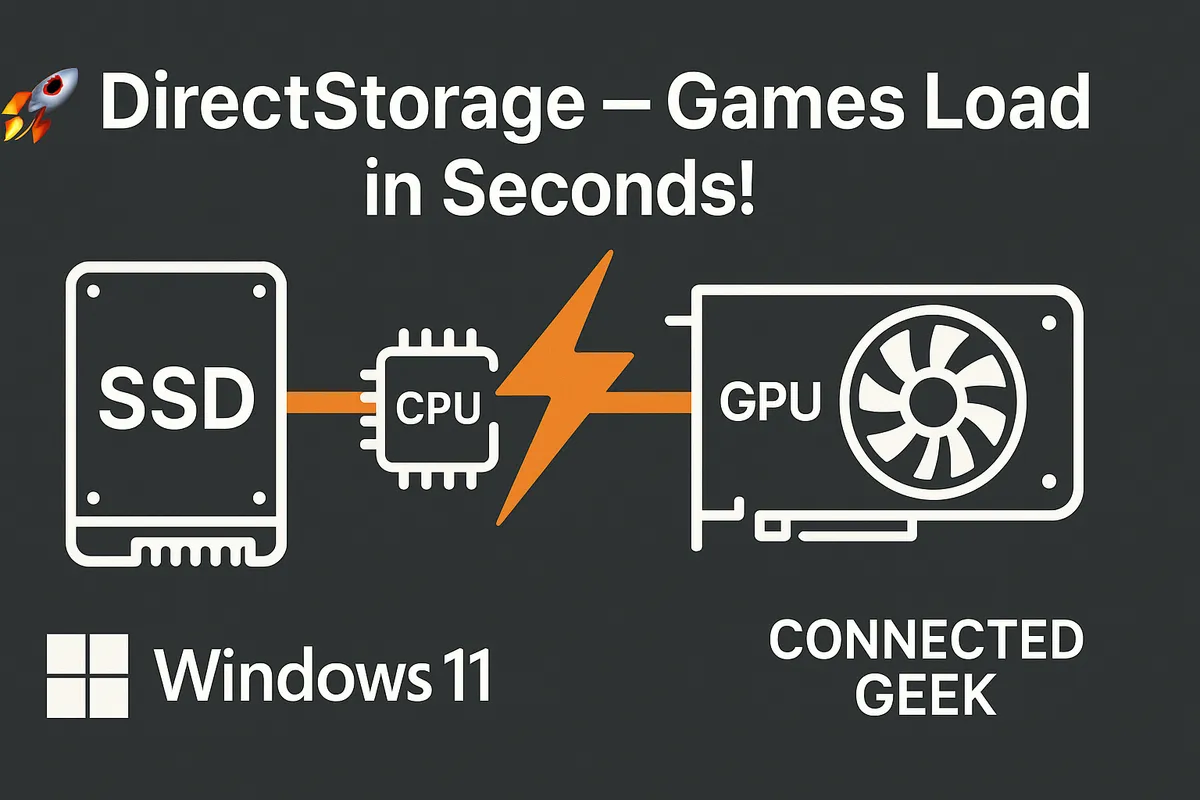
To understand why DirectStorage matters, it helps to look at how game loading traditionally worked on Windows. Even if you had a fast NVMe SSD, your data still had to take the scenic route: SSD → CPU → system memory → GPU. Every texture, model, and sound effect was read from storage, unpacked and decompressed by the CPU, then copied over to the graphics card to be rendered.
That made sense when spinning hard drives were slow and CPUs were the obvious workhorses. But modern NVMe SSDs can push gigabytes per second, and GPUs have become massively parallel compute monsters. The weak link increasingly became the CPU, which had to juggle game logic, physics, AI, and asset decompression all at once. The result? Your SSD sat there capable of much more, while the CPU throttled how quickly assets could reach the GPU.
You’ve seen the symptoms: long initial load screens, elevator rides that exist purely to hide streaming, and open‑world games where turning quickly can cause obvious texture pop‑in as the CPU scrambles to keep up. The storage hardware got faster, but the software pipeline stayed stuck in the past.
How DirectStorage Changes the Route: SSD → GPU
DirectStorage, originally developed for Xbox and now a core part of Windows 11, rewires this pipeline. Instead of forcing all that data to be processed by the CPU first, DirectStorage creates a much more direct path from your NVMe SSD to your GPU. In practical terms, it lets games issue many more I/O requests in parallel and offload decompression work to the graphics card itself when supported.
With recent versions like DirectStorage 1.4, Microsoft has doubled down on this approach. Developers can use modern compression formats such as Zstandard (Zstd) and choose whether the CPU or GPU handles decompression, while new scheduling improvements help the GPU balance rendering and data unpacking. The important part for players is simple: the CPU is no longer the permanent gatekeeper for getting assets onto the graphics card.
Instead of a single, overloaded lane through the CPU, DirectStorage is more like opening a multi‑lane expressway straight from SSD to GPU. Your graphics card can be fed with data at a rate that actually matches what modern NVMe drives can deliver, and the CPU is freed up to focus on gameplay, not grunt work.
What You Feel In‑Game: Faster Loads, Smoother Worlds, Less Pop‑In
On paper, all of this sounds technical. In practice, it translates into very human‑visible gains. First, there are shorter load times. Games that support DirectStorage can pull in huge chunks of data in parallel, cutting down on the wait between pressing “Continue” and actually playing. Depending on the title and implementation, that can mean shaving tens of seconds off every load or turning what used to be a loading screen into a brief splash animation.
Second, DirectStorage shines in open‑world streaming. When you sprint across a vast map, fly over a dense city, or fast‑travel into a new region, the game has to stream in terrain, buildings, characters, and high‑resolution textures on the fly. With the old SSD → CPU → GPU path, you’d often notice hitching or a dip in frame rate as the CPU tried to decompress everything quickly enough. DirectStorage’s more efficient path reduces that pressure, letting worlds stream in more smoothly and consistently.
Finally, there’s the visual polish: reduced texture pop‑in. When the GPU can be fed high‑res textures more quickly, you’re less likely to see blurry surfaces that suddenly sharpen, or distant objects that load in noticeably late. It’s not just about speed; it’s about keeping you immersed by hiding the machinery behind the scenes. DirectStorage helps games behave more like tightly integrated console titles and less like PCs struggling with legacy bottlenecks.
What You Need to Use DirectStorage on Windows 11
The good news is that DirectStorage doesn’t demand exotic hardware, but there are a few clear requirements. First, you need Windows 11. While Microsoft did bring a limited form of DirectStorage to Windows 10, the full implementation and ongoing improvements are focused on Windows 11, where the storage stack and OS are tuned specifically for this feature.
Second, you’ll want an NVMe SSD using Microsoft’s Standard NVM Express Controller driver. Both PCIe 3.0 and 4.0 drives work; faster models simply give DirectStorage more bandwidth to play with. Traditional SATA SSDs and hard drives can still run the games, but they can’t tap into the same level of streaming performance this API is built around.
Third, your system needs a DirectX 12–capable GPU with Shader Model 6.0 support—effectively, a modern graphics card in line with DirectX 12 Ultimate‑class hardware. Many recent AMD Radeon and NVIDIA GeForce cards meet this bar, but older GPUs may not. And, of course, the game itself has to explicitly support DirectStorage; this is an API developers choose to integrate, not a switch that magically speeds up every title overnight.
Why This Makes Windows 11 a Better Gaming Platform Than Windows 10
DirectStorage isn’t the only gaming upgrade in Windows 11—features like Auto HDR, improved Game Mode, and deep DirectX 12 Ultimate support all play a role—but it’s one of the clearest examples of the OS being built with modern games in mind. While Windows 10 can run today’s titles, it was never designed around NVMe‑first, SSD‑to‑GPU pipelines in the way Windows 11 is.
With Windows 11, Microsoft has optimized the storage stack, integrated DirectStorage updates like version 1.4, and aligned the platform more closely with the Xbox ecosystem. That means developers can target a consistent, console‑style streaming model across both PC and console, and players benefit from faster loads and smoother worlds when studios take advantage of it. Over time, as more engines and games adopt DirectStorage, the gap between a tuned Windows 11 system and an older Windows 10 rig will only grow more obvious in real‑world play.
If you already own an NVMe SSD and a capable DirectX 12 GPU, upgrading to Windows 11 effectively unlocks a new performance path your hardware was built for but couldn’t fully use. DirectStorage doesn’t just make benchmarks look nicer—it helps your games feel more immediate, more fluid, and more like the “instant‑on” experiences we were promised when next‑gen consoles first arrived.
