


Tech Tips Blog: Practical, plain-English advice to keep your home and business technology secure and running smoothly.
Read the BlogTech Tips Blog: Plain-English advice to keep your tech secure.
Read the BlogCG Transcribe for Windows
Questions or need help installing?

CG Transcribe
Transcripts and captions from your videos. Offline, on your PC.
Stays on your PC
No upload, no account
Whole folders
Run all or in sections
Graphics card speed
NVIDIA used when present
Four outputs
.txt .md .srt .vtt, saved next to each video
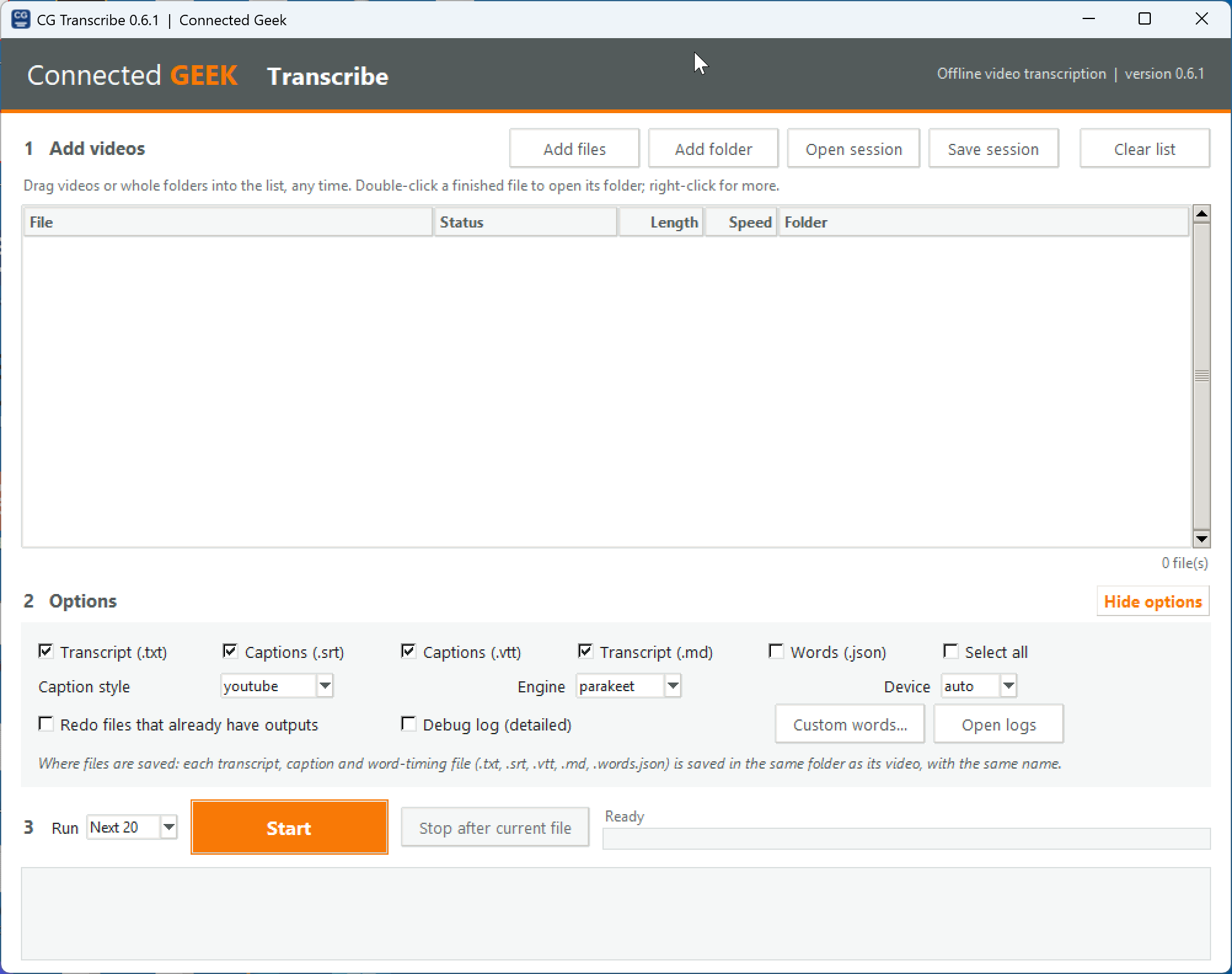
Installing in three steps
1. Download, then choose Download anyway (Google Drive cannot scan large files).
2. Open the installer. If Windows warns you, choose More info, then Run anyway.
3. Drag in your videos and press Start.
Questions or need help installing? Contact us
Offline Video Transcription for Windows
CG Transcribe turns your videos and audio into transcripts (.txt and .md) and captions (.srt and .vtt), saved right next to each video. It works completely offline: no account, no upload, no subscription, and your files never leave your computer. It uses an NVIDIA graphics card automatically when one is present for much faster results, and runs on the processor otherwise. Drag in whole folders, fix the spelling of names with Custom words, and run long lists in sections.
Installing: because the download is large, Google Drive will say it cannot scan the file for viruses. Click "Download anyway". When you run the installer, Windows may show "Windows protected your PC". Click "More info", then "Run anyway". Setup can add a desktop icon and a right-click option in File Explorer, and each new version installs over the previous one.
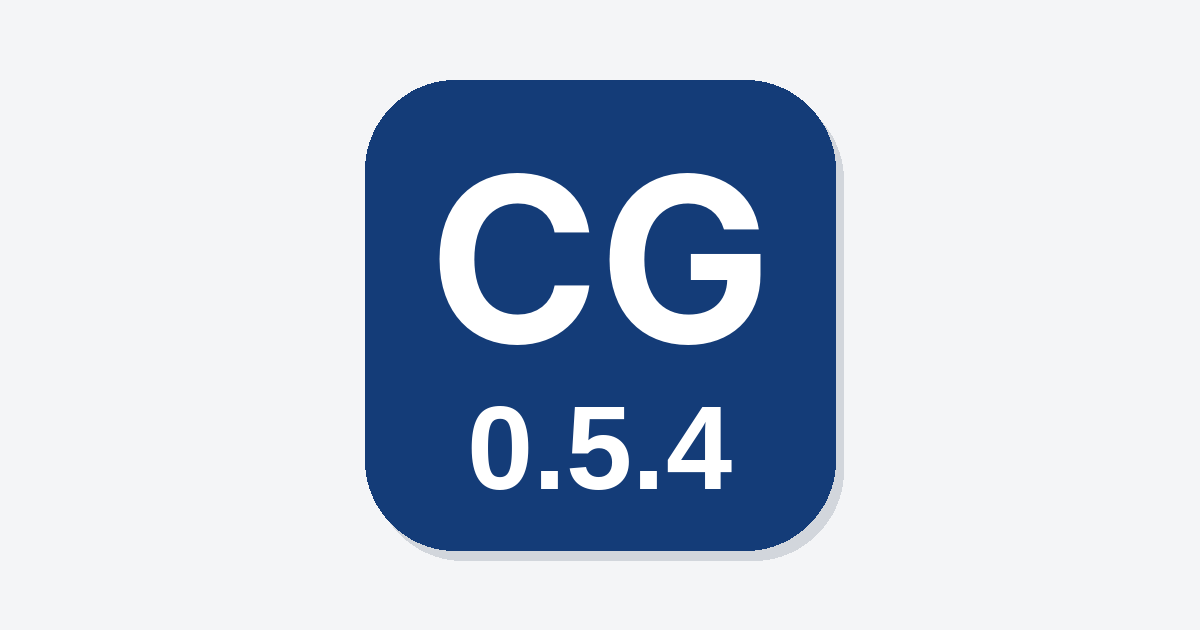
CG Transcribe
Transcripts and captions from your videos and audio, made offline on your own Windows PC.
Download CG Transcribe 0.5.4
Installing in three steps
What's New
CG Transcribe 0.6.1: word-by-word timing and graphics card sharing
A word-by-word timing file, smarter file handling, and better teamwork with other Connected Geek tools. ...more
November 21, 2026•1 min read
CG Transcribe 0.5.4: new audio reader and terms of use
A new built-in audio reader, terms of use in the installer, and a full list of credits. ...more
November 19, 2026
CG Transcribe 0.5.3: first public release
Offline transcripts and captions for Windows, with GPU speed, custom words, sections and automatic session saving. ...more
November 18, 2026•1 min read
CG Transcribe 0.5.2: Sessions saved next to your videos
Sessions are named and saved for you. ...more
November 15, 2026
CG Transcribe 0.5.1: Quit check and saved sessions
Pick up where you left off. ...more
November 11, 2026
CG Transcribe 0.5.0: New look and file list
A cleaner window in Connected Geek style. ...more
November 11, 2026
Credits: speech recognition uses NVIDIA Parakeet TDT 0.6B v2, licensed under CC BY 4.0.
Stay Connected!
Whether it’s fixing a device, optimizing your network, or enhancing your business operations, our experts are here to help. Get fast, reliable, and customized IT support to keep you connected at every step. Reach out today and let’s get started!

Empowering your business with reliable IT solutions since 2006.
Your trusted partner in technology, delivering success and support every step of the way.
Quick Links
Services
Copyright © 2026 Connected Geek | Privacy Policy | Terms & Conditions